Creating content consistently is harder than it looks.
One week you’re full of ideas. The next week you’re staring at a blank screen. Blog post unfinished. YouTube script half-written. Thumbnail still not designed. Posting schedule ruined.
That’s exactly why free AI tools for content creation have become essential in 2026. They help creators move faster, generate ideas, improve quality, and stay consistent without hiring a team.
When I tested some of these tools for writing a blog and repurposing it into a YouTube script, one thing I noticed was this: the speed difference is massive. What used to take 4–5 hours can now be done in under two.
Let’s break down the best options available right now.
Why Creators Need Free AI Tools for Content Creation
If you’re a blogger, YouTuber, freelancer, or side hustler, time is your biggest problem.
Here’s why free AI tools for content creation matter:
1. Faster Workflow
From outline to final draft, AI tools reduce friction.
2. Idea Generation
Stuck on topics? AI helps brainstorm angles, hooks, and titles.
3. Content Repurposing
Turn one blog post into:
- Twitter thread
- Instagram caption
- YouTube script
- Email newsletter
4. Better Consistency
Consistency builds growth. AI tools remove creative blocks.
5. Saving Money
Instead of hiring writers, editors, and designers, beginners can start with best AI content tools free.
Best Free AI Tools for Content Creation (2026)
Below are the top free AI tools for content creation that beginners and growing creators can use today.
1) ChatGPT
Official link: ChatGPT
What it is:
A conversational AI assistant for writing, brainstorming, scripting, and editing.
How creators use it:
- Blog outlines
- YouTube scripts
- Affiliate product reviews
- Social captions
Example:
A blogger asks for a structured outline for “how to start a fitness blog.” Within seconds, a clean outline appears.
Key features:
- Long-form writing
- Idea generation
- Script creation
- Rewriting & tone adjustments
Free limitations:
Free plan has usage limits and fewer advanced features.
Best use case:
Writing drafts and generating ideas.
2) Canva
Official link: Canva
What it is:
Design tool with AI-powered features for visuals.
How creators use it:
- Thumbnails
- Instagram posts
- Blog featured images
- Pinterest pins
Key features:
- Templates
- Background remover (limited free)
- Magic design suggestions
Free limitations:
Some premium templates locked.
Best use case:
Designing thumbnails and social media graphics.
3) CapCut
Official link: CapCut
What it is:
Free AI-powered video editing tool.
How creators use it:
- Reels editing
- Shorts
- Auto captions
- Video trimming
Key features:
- Auto subtitles
- Background removal
- Templates
Free limitations:
Some advanced exports limited.
Best use case:
Short-form video editing.
4) Notion AI
Official link: Notion AI
What it is:
AI writing assistant inside Notion workspace.
How creators use it:
- Organizing content calendars
- Drafting blog posts
- Planning scripts
Free limitations:
Limited AI responses in free version.
Best use case:
Planning + structured writing.
5) Jasper (Trial)
Official link: Jasper
What it is:
Premium AI writing assistant.
How creators use it:
Affiliate product comparisons and marketing copy.
Free limitations:
Trial only.
Best use case:
Conversion-focused writing.
6) Copy.ai
Official link: Copy.ai
What it is:
AI copywriting tool.
How creators use it:
- Email copy
- Product descriptions
- Hook ideas
Free limitations:
Limited monthly credits.
Best use case:
Short-form copy.
7) Grammarly
Official link: Grammarly
What it is:
Grammar + clarity checker.
How creators use it:
Polishing blog posts and scripts.
Free limitations:
Advanced suggestions locked.
Best use case:
Editing and proofreading.
8) Pictory (Trial)
Official link: Pictory
What it is:
Turns text into videos.
How creators use it:
Convert blog posts into video content.
Free limitations:
Trial with watermark.
Best use case:
Repurposing written content into video.
9) Descript
Official link: Descript
What it is:
Video + audio editing tool with AI transcription.
How creators use it:
- Editing podcasts
- Removing filler words
- Subtitle creation
Free limitations:
Limited transcription hours.
Best use case:
Podcast + talking-head video editing.
10) Adobe Express
Official link: Adobe Express
What it is:
Quick graphic + video design tool.
How creators use it:
Social media graphics and quick animations.
Free limitations:
Premium assets locked.
Best use case:
Quick branded visuals.
Comparison Table
| Tool | Best For | Writing | Video | Design | Beginner Friendly | Free Limit Notes |
|---|---|---|---|---|---|---|
| ChatGPT | Writing & scripts | Yes | No | No | High | Usage limits |
| Canva | Thumbnails | No | Limited | Yes | High | Premium templates |
| CapCut | Short videos | No | Yes | Limited | High | Export limits |
| Notion AI | Planning | Yes | No | No | Medium | Limited responses |
| Jasper | Marketing copy | Yes | No | No | Medium | Trial only |
| Copy.ai | Short copy | Yes | No | No | High | Credit limits |
| Grammarly | Editing | Yes | No | No | High | Advanced locked |
| Pictory | Text-to-video | Limited | Yes | No | Medium | Watermark trial |
| Descript | Podcast editing | Limited | Yes | No | Medium | Limited hours |
| Adobe Express | Quick visuals | No | Yes | Yes | High | Premium assets |
How to Create Content Faster Using AI (Step-by-Step Workflow)
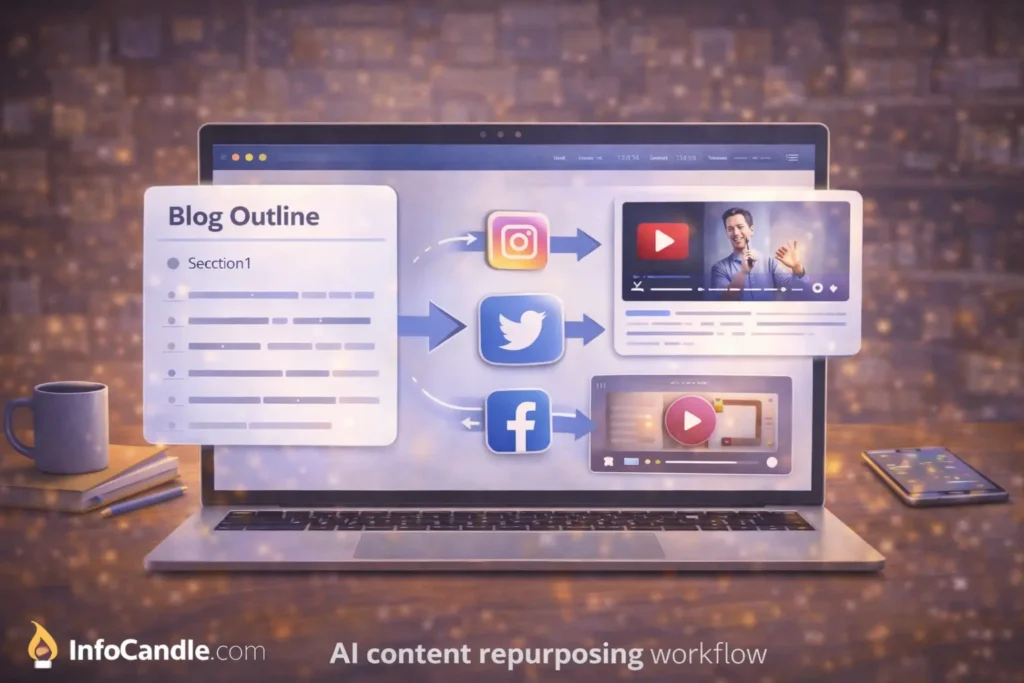
Here’s a simple system using free AI tools for content creation:
- Pick your platform (blog, YouTube, Reels)
- Research topic using AI brainstorming
- Generate structured outline
- Write draft using ChatGPT or Notion AI
- Create visuals in Canva
- Edit video in CapCut or Descript
- Optimize title using free AI tools for keyword research and SEO
This workflow alone can double your output.
Common Mistakes Creators Make With AI Tools
Even with free AI tools for content creation, creators fail when they:
- Copy content blindly
- Don’t edit tone
- Ignore SEO
- Overuse robotic phrasing
- Use poor thumbnails
- Forget internal linking
For example, if you’re writing about video production, link to our guide on free AI tools for video editing. If you’re creating visuals, reference free AI tools for image editing and graphic design.
Smart internal linking boosts rankings.
FAQs
Are free AI tools for content creation safe?
Yes, most are safe when used responsibly and with secure accounts.
Which AI tool is best for beginners?
ChatGPT + Canva is the easiest starting combo.
Can AI replace human creativity?
No. AI speeds up work but your unique voice still matters.
Do AI content tools affect SEO rankings?
Only if you publish low-quality content. High-quality AI-assisted content can rank well.
What is the best AI tool for YouTube scripts?
ChatGPT and Jasper are strong options.
Conclusion
Content creation in 2026 is faster, more competitive, and more automated than ever.
The smart approach is using free AI tools for content creation to remove bottlenecks, save time, and increase consistency.
Best overall: ChatGPT
Best for writing: Jasper (if trial available)
Best for video: CapCut
Best for design: Canva
Used wisely, these free AI tools for content creation can help bloggers, YouTubers, freelancers, and digital creators scale without hiring a full team.
Consistency wins. Tools just make it easier.