
If your blog isn’t getting traffic, it usually isn’t because your writing is “bad.”
Most of the time, it’s because you’re targeting keywords that are too competitive, or you’re writing content Google doesn’t want to rank.
That’s why free AI tools for keyword research and SEO have become a lifesaver for bloggers in 2026. They help you find low-competition keywords, discover what people actually search for, and plan content that has a real chance of ranking.
When I tested these tools on a new blog post idea, I noticed something simple: the tools that look “basic” often give the best keyword ideas. You just need to know how to use them correctly.
Why Bloggers Need Free AI Tools for Keyword Research and SEO
Keyword research is not optional anymore.
Even if you write the best article in your niche, Google won’t rank it if the keyword is too hard, or if the search intent doesn’t match your content.
Here’s why free AI tools for keyword research and SEO matter so much:
- They help you find low-competition keywords faster
- They give you content ideas you would never think of
- They help you understand search intent (what users actually want)
- They save money for beginners who can’t afford paid SEO tools
- They reduce guesswork and help you build a real strategy
One thing I noticed is that most bloggers fail because they choose keywords like “make money online” or “best phones.” These keywords are basically impossible for new websites.
But when you use the right tools, you can find keywords like:
- “best budget phones for students under $200”
- “how to fix indexing issue on WordPress”
- “free AI tools for keyword research and SEO”
These are the keywords that new blogs can actually rank for.
Best Free AI Tools for Keyword Research and SEO (2026)
Below are the best free AI tools for keyword research and SEO that bloggers can realistically use in 2026.
Each tool here is either fully free or has a free tier that is still useful for beginners.
1) Google Keyword Planner
Google Keyword Planner is Google’s own tool inside Google Ads.
Most people think it’s only for ads, but it’s still one of the most reliable keyword tools if you know how to use it.
How bloggers use it:
Use it to find keyword ideas and estimate keyword search volume ranges.
Realistic example:
A beginner blogger wants to write about “freelancing.” Keyword Planner helps them find more realistic keywords like “freelancing jobs for students” or “freelancing skills to learn.”
Key free features:
- Keyword suggestions from seed topics
- Search volume ranges
- Location-based keyword data
- Keyword grouping ideas
Free limitations (honest):
- Search volume is shown as ranges unless you run ads
- Not designed for SEO difficulty analysis
Best use case:
Finding keyword ideas directly from Google.
Official link: Google Keyword Planner
2) Ahrefs Free Keyword Generator
Ahrefs has a free keyword generator tool that’s surprisingly powerful.
Even without a paid plan, it can show you keyword ideas, plus a rough keyword difficulty score.
How bloggers use it:
Use it to find long-tail keywords and check difficulty quickly.
Realistic example:
You want to write about “AI tools.” Ahrefs shows long-tail ideas like “AI tools for bloggers free” and “AI tools for writing product descriptions.”
Key free features:
- Keyword ideas for Google + other search engines
- Keyword difficulty estimate
- Related questions
- Keyword variations
Free limitations (honest):
- Limited results shown per search
- No deep competitor analysis on free plan
Best use case:
Quick keyword difficulty check + long-tail ideas.
Official link: Ahrefs Free Keyword Generator
3) Semrush Keyword Magic Tool (Free Limited)
Semrush is one of the best SEO platforms in the world, and their Keyword Magic Tool is excellent for building keyword lists.
How bloggers use it:
Search one keyword and get hundreds of variations and question keywords.
Realistic example:
You type “YouTube script.” It gives you keyword ideas like “YouTube script for beginners” and “AI YouTube script generator.”
Key free features:
- Keyword variations and question keywords
- Intent labels (informational, transactional)
- Basic keyword difficulty
- Filtering options
Free limitations (honest):
- Very limited searches per day on free accounts
- Full results are locked behind paid plan
Best use case:
Finding keyword clusters for one topic.
Official link: Semrush Keyword Magic Tool
4) Ubersuggest (Free Limited)
Ubersuggest is beginner-friendly and gives you SEO insights without overwhelming you.
How bloggers use it:
Use it for keyword ideas, SEO difficulty, and content suggestions.
Realistic example:
A student blogger wants to write about “resume writing.” Ubersuggest suggests keywords like “resume format for freshers” and “ATS resume template.”
Key free features:
- Keyword ideas
- SEO difficulty score
- Content ideas
- Backlink overview (limited)
Free limitations (honest):
- Daily search limits
- Many features locked unless paid
Best use case:
Beginners who want an easy keyword + SEO overview.
Official link: Ubersuggest
5) Keyword Surfer (Chrome Extension)
Keyword Surfer is a Chrome extension that shows keyword volume directly in Google search.
It’s one of the fastest ways to do quick keyword research.
How bloggers use it:
Search a keyword on Google and instantly see volume + related keywords.
Realistic example:
You search “AI video editing tools.” Surfer shows volume and gives related keywords like “AI subtitle generator free.”
Key free features:
- Search volume inside Google
- Keyword suggestions
- Basic SERP overview
- Works instantly while browsing
Free limitations (honest):
- Not very accurate for small niches sometimes
- No deep SEO analysis
Best use case:
Fast keyword checks while searching on Google.
Official link: Keyword Surfer
6) AnswerThePublic (Free Limited)
AnswerThePublic is one of the best tools for finding “question keywords.”
These are keywords that bring targeted traffic because users are searching for a specific answer.
How bloggers use it:
Generate blog post ideas and FAQs.
Realistic example:
You enter “SEO tools” and it shows questions like:
- “What SEO tools are free?”
- “Which SEO tools are best for beginners?”
Key free features:
- Question keyword suggestions
- “Why / How / What” keyword ideas
- Topic maps and visual keyword clouds
- Great for FAQ research
Free limitations (honest):
- Limited searches per day
- Full exports require paid plan
Best use case:
Creating FAQ sections and blog topic ideas.
Official link: AnswerThePublic
7) AlsoAsked (Free Limited)
AlsoAsked is built specifically around Google’s “People Also Ask” section.
It helps you understand how users think and what questions they ask next.
How bloggers use it:
Use it to build article structure and heading ideas.
Realistic example:
You want to write about “freelancing.” AlsoAsked shows question chains like:
- “How to start freelancing?”
- “What skills are needed for freelancing?”
- “Is freelancing safe for students?”
Key free features:
- People Also Ask question trees
- Great heading + subheading ideas
- Helps build topic clusters
- Strong for SEO structure planning
Free limitations (honest):
- Very limited free searches
- Exports are restricted
Best use case:
Building a complete SEO outline for articles.
Official link: AlsoAsked
8) Google Trends
Google Trends doesn’t give keyword difficulty, but it helps you find what is rising, seasonal, or dying.
It’s one of the most underrated free AI tools for keyword research and SEO.
How bloggers use it:
Check whether a keyword is growing or losing interest.
Realistic example:
A blogger wants to write about “AI tools for students.” Trends shows it spikes during exam months, meaning timing matters.
Key free features:
- Keyword popularity over time
- Region-based trends
- Related rising topics
- Seasonal keyword planning
Free limitations (honest):
- No SEO difficulty
- No search volume numbers
Best use case:
Choosing trending topics and publishing at the right time.
Official link: Google Trends
Comparison Table
| Tool | Best For | Keyword Difficulty? | Content Ideas? | Beginner Friendly | Free Limit Notes |
|---|---|---|---|---|---|
| Google Keyword Planner | Keyword ideas from Google | No | Medium | Medium | Volume shown as ranges |
| Ahrefs Free Keyword Generator | Long-tail keywords + difficulty | Yes (basic) | Yes | High | Limited results per search |
| Semrush Keyword Magic Tool | Keyword clusters | Yes | Yes | Medium | Limited searches daily |
| Ubersuggest | Easy SEO overview | Yes | Yes | High | Daily limits |
| Keyword Surfer | Fast keyword checks | No | Medium | Very high | Not deep analysis |
| AnswerThePublic | Questions + FAQs | No | Very high | High | Limited searches |
| AlsoAsked | SEO outline structure | No | Very high | Medium | Very limited free usage |
| Google Trends | Trending keywords | No | Medium | High | No difficulty or volume |
How to Find Low Competition Keywords Using AI (Step-by-Step)
This is the exact method I recommend if you’re serious about ranking.
Step 1: Pick a niche
Choose one category and stick to it.
For example: AI tools, freelancing, study tools, or blogging.
Step 2: Find seed keywords
Start with broad topics like:
- “AI tools”
- “resume”
- “YouTube”
- “SEO tools”
Step 3: Expand with free tools
Use a mix of:
- Ahrefs free generator
- Semrush Keyword Magic (free searches)
- Keyword Surfer
- AnswerThePublic
This is where free AI tools for keyword research and SEO become powerful.
Step 4: Check difficulty
If a keyword has very high difficulty, skip it.
As a new website, you want keywords that feel “small,” like:
- “best free keyword research tools for beginners”
- “AI keyword generator free”
Step 5: Check search intent
Search the keyword on Google and ask:
- Are the top results guides?
- Are they product pages?
- Are they videos?
Match your article type to what Google is already ranking.
Step 6: Create outline
Use AlsoAsked to create a structure:
- H2 sections
- FAQs
- related questions
Step 7: Publish + interrlink
Publish and then link it to your other related articles.
For example, inside this post you can link to:
- free AI tools for students without credit card (anchor suggestion)
- free AI tools for video editing (anchor suggestion)
- free AI tools for image editing and graphic design (anchor suggestion)
How to Write SEO Articles Faster Using These Tools
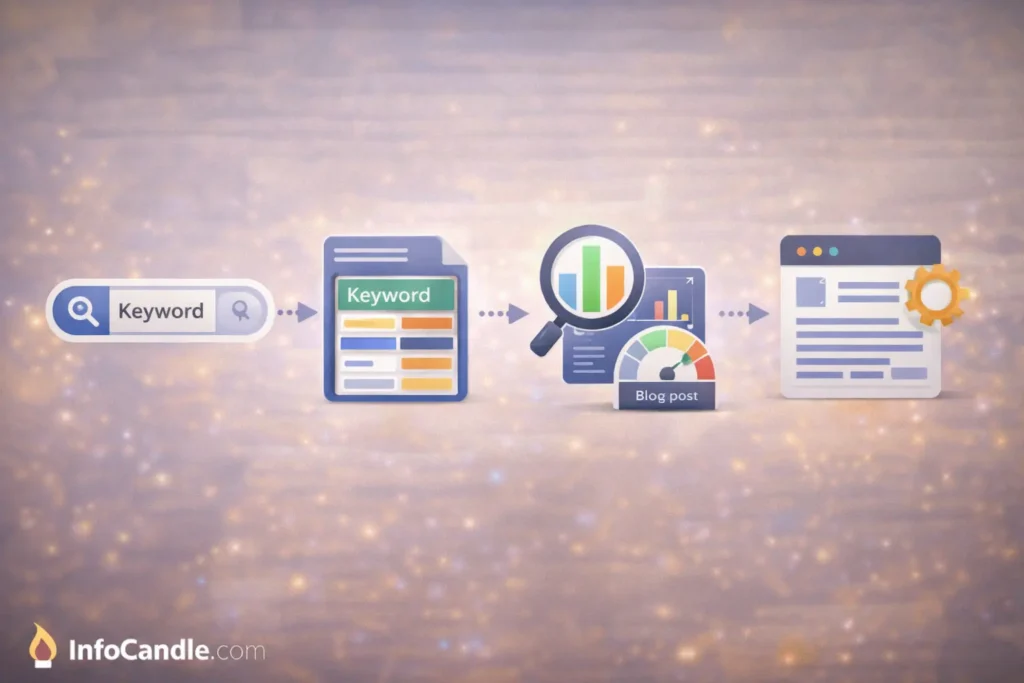
Most bloggers waste time on writing, when the real problem is structure.
Here’s how free AI tools for keyword research and SEO help you write faster:
1) Title optimization
Use keyword variations from Ahrefs + Semrush.
Instead of:
“SEO Tools for Bloggers”
Write:
“Best Free AI Tools for Keyword Research and SEO (2026)”
2) Better headings
Use AlsoAsked and AnswerThePublic to build headings.
This makes your article feel complete and Google-friendly.
3) FAQs that actually rank
FAQs are not decoration.
They help you rank for:
- People Also Ask
- voice search queries
- long-tail keywords
4) Internal linking strategy
If you have InfoCandle articles like:
- free AI tools for assignments without credit card
- free AI tools for PPT creation without credit card
Link them naturally in relevant sections.
5) Meta description writing
Use your focus keyword exactly once and keep it clean.
Common Mistakes Beginners Make in Keyword Research
Even with the best free AI tools for keyword research and SEO, many bloggers still fail.
Here are the mistakes I see again and again:
1) Choosing keywords that are too broad
If your site is new, don’t target:
- “SEO”
- “AI”
- “freelancing”
Target long-tail keywords instead.
2) Ignoring search intent
If the keyword results are mostly tools pages, don’t write a personal story.
Google wants a practical guide.
3) Not checking SERP competition
Search the keyword and see:
- how big the websites are
- how long the articles are
- how well-structured they look
4) Copying competitors
Copying the same headings makes your content look repetitive.
Add your own angle and examples.
5) Never updating old posts
Updating one old post can sometimes bring more traffic than writing 5 new ones.
FAQs
Are free AI tools for keyword research and SEO accurate?
They are accurate enough for beginners.
Paid tools are more detailed, but you can still find ranking keywords using free tools if you focus on long-tail searches.
Which tool is best for low competition keywords?
For most bloggers, Ahrefs Free Keyword Generator + Keyword Surfer is the fastest combo.
For question keywords, AnswerThePublic and AlsoAsked are excellent.
Can free SEO tools help rank a new website?
Yes. New websites can rank if they target low-competition keywords and publish consistently.
How many keywords should one article target?
One main keyword + 4–8 supporting keywords is enough.
Trying to target 20 keywords usually ruins clarity.
Is Google Keyword Planner enough for SEO?
It’s good for keyword ideas, but it doesn’t show difficulty properly.
It works best when combined with Ahrefs or Surfer.
Conclusion
If you’re serious about growing your blog, you don’t need expensive software on day one.
You just need a smart process and the right free AI tools for keyword research and SEO.
My honest recommendation:
- Best overall: Ahrefs Free Keyword Generator
- Best for questions + FAQs: AnswerThePublic + AlsoAsked
- Best for trends: Google Trends
If you combine these tools with strong internal linking to your existing posts like free AI tools for video editing or free AI tools for students without credit card, you’ll start building real organic traffic over time.