
Learning to code is exciting… until it isn’t.
You start a Python tutorial, copy the code, and it doesn’t work. You try JavaScript, and your browser shows a blank screen with no clue why. Then you search the error on Google and end up with 15 tabs open, each explaining the same thing in a different way.
That’s why free AI tools for learning coding and programming are becoming a real shortcut for beginners in 2026. Not a shortcut for skills, but a shortcut for the confusing parts: debugging, explaining concepts, and guiding you when you’re stuck.
When I tested these tools with beginner-level Python and JavaScript problems, one thing I noticed is this: they work best when you ask specific questions. Vague prompts give vague code. But when you paste the error and describe what you want, the help becomes surprisingly good.
Why Beginners Need Free AI Tools for Learning Coding and Programming
Most people don’t quit programming because it’s “too hard.”
They quit because they feel lost.
Here’s where free AI tools for learning coding and programming help the most:
Faster learning (without guessing)
Instead of spending 40 minutes searching “what is a function,” you can ask a tool to explain it using your exact example.
Instant debugging help
AI tools can explain errors in plain English and suggest fixes. This is huge for beginners.
Better practice and feedback
Practice platforms are great, but they rarely explain why your logic is wrong. AI tools do.
A structured roadmap
Beginners often jump from Python to JavaScript to React in one week. AI tools can help you stick to a plan.
Motivation
Nothing kills motivation like being stuck on a silly missing bracket. AI helps you move forward.
Best Free AI Tools for Learning Coding and Programming (2026)
Below are the best free AI tools for learning coding and programming that beginners can actually use in 2026. I’ve focused on tools that either have a real free plan, or a free option for students.
1) GitHub Copilot (Free for Students via GitHub Education)
What it is:
GitHub Copilot is an AI coding assistant that suggests code as you type inside your editor.
How beginners use it:
- Autocomplete code
- Generate functions from comments
- Suggest fixes for simple bugs
- Speed up repetitive coding
Realistic example:
A student learning JavaScript writes a comment:
“// create a function that checks if a number is even”
Copilot suggests the full function instantly.
Key free features:
- AI autocomplete in VS Code
- Function suggestions
- Fast boilerplate generation
- Helps with syntax mistakes
Free limitations (honest):
It’s not fully free for everyone. You need access through GitHub Education (students) or paid plan.
Best use case:
Students coding in VS Code who want faster typing and fewer syntax errors.
Official link: GitHub Copilot
2) Replit AI (Free Tier)
What it is:
Replit is an online coding platform. It lets you write code in the browser, run it instantly, and use AI features for help.
How beginners use it:
- Write code without installing anything
- Ask AI to fix errors
- Generate small scripts
- Build mini projects
Realistic example:
A beginner makes a Python “to-do list” project. The code runs but crashes when the user enters wrong input. Replit AI suggests input validation.
Key free features:
- Browser-based coding environment
- AI help for debugging
- Easy project templates
- Supports many languages
Free limitations:
AI usage is limited in the free tier. Heavy use requires paid plan.
Best use case:
Beginners who want to learn coding without setting up Python or Node.js.
Official link: Replit AI
3) Codeium (Free)
What it is:
Codeium is a free AI coding assistant that works inside editors like VS Code.
How beginners use it:
- Autocomplete code
- Suggest full functions
- Help with repetitive code
- Improve speed
Realistic example:
A beginner working on HTML/CSS wants a simple navigation bar. Codeium suggests the CSS structure and saves them from writing it manually.
Key free features:
- Free AI autocomplete
- Works in popular editors
- Supports many languages
- Helpful for boilerplate
Free limitations:
It’s great for suggestions, but it won’t teach concepts deeply like a tutor.
Best use case:
Beginners who want a free AI assistant while coding.
Official link: Codeium
4) Phind (Free Developer Search + Code Help)
What it is:
Phind is a developer-focused AI search engine. It answers coding questions like StackOverflow + AI combined.
How beginners use it:
- Search programming questions
- Get clear explanations
- Learn syntax and logic
- Debug errors with examples
Realistic example:
A student gets a Python error:TypeError: 'int' object is not iterable
They paste it into Phind and get an explanation plus corrected code.
Key free features:
- Strong coding explanations
- Code examples included
- Great for debugging
- Clear step-by-step answers
Free limitations:
Some advanced models may be limited for free users.
Best use case:
Debugging and learning “why the error happened.”
Official link: Phind
5) Blackbox AI (Free Tier)
What it is:
Blackbox AI is a tool that helps you generate code, find solutions, and even extract code from videos or screenshots.
How beginners use it:
- Ask for quick code snippets
- Debug small issues
- Learn syntax
- Speed up projects
Realistic example:
A beginner wants a JavaScript function to validate an email address. Blackbox generates a simple, working function and explains it.
Key free features:
- Fast code generation
- Multi-language support
- Useful for quick snippets
- Works in browser
Free limitations:
Free tier has usage limits. Also, beginners must verify code because AI can sometimes output messy solutions.
Best use case:
Quick snippets and mini project help.
Official link: Blackbox AI
6) Khanmigo (Limited Free Availability)
What it is:
Khanmigo is Khan Academy’s AI tutor, designed for learning and guided practice.
How beginners use it:
- Learn programming basics
- Ask questions like a tutor
- Get guided hints
- Learn problem-solving step-by-step
Realistic example:
A student learning loops asks Khanmigo:
“Explain for-loops like I’m in class 9”
It gives a clear explanation with a simple example.
Key free features:
- Tutor-like teaching
- Beginner-friendly explanations
- Good learning flow
- Helpful for fundamentals
Free limitations (important):
Khanmigo is not fully free in many regions. Some access may require paid subscription.
Best use case:
Beginners who want concept teaching, not just code.
Official link: Khanmigo
7) LeetCode (Free + AI Features Limited)
What it is:
LeetCode is a coding practice platform for interview preparation.
How beginners use it:
- Practice coding problems
- Improve logic
- Prepare for job interviews
- Learn patterns
Realistic example:
A beginner solves “Two Sum” but doesn’t understand why their solution is slow. LeetCode discussions + hints help them improve.
Key free features:
- Large free problem library
- Practice by difficulty
- Solutions/discussions
- Interview-style problems
Free limitations:
Many problems are premium. AI assistance features are limited for free users.
Best use case:
Interview preparation and structured practice.
Official link: LeetCode
8) HackerRank (Free Practice Platform)
What it is:
HackerRank is another practice platform used by students and companies for coding tests.
How beginners use it:
- Practice coding challenges
- Learn Python/JS basics
- Prepare for assessments
- Build confidence
Realistic example:
A student preparing for an internship solves easy Python problems daily on HackerRank and improves speed and logic.
Key free features:
- Free practice challenges
- Skill tracks (Python, Java, SQL)
- Beginner-friendly difficulty levels
- Good for consistency
Free limitations:
It doesn’t “teach” deeply. You learn mainly through solving.
Best use case:
Daily practice and internship test preparation.
Official link: HackerRank
Comparison Table
| Tool | Best For | Beginner Friendly | Debugging Help | Works in Browser? | Free Limit Notes |
|---|---|---|---|---|---|
| GitHub Copilot | Coding speed in VS Code | Medium | Medium | No | Free only for students (GitHub Education) |
| Replit AI | Coding without setup | Very | High | Yes | AI usage limited in free tier |
| Codeium | Free coding assistant | High | Medium | No | Great free option, but not a tutor |
| Phind | Debugging + learning | High | Very high | Yes | Some advanced features limited |
| Blackbox AI | Quick snippets | Medium | Medium | Yes | Free tier has limits |
| Khanmigo | Learning fundamentals | Very | Medium | Yes | Free availability limited |
| LeetCode | Interview prep | Medium | Low | Yes | Many problems premium |
| HackerRank | Daily practice | High | Low | Yes | Practice-focused, not teaching-focused |
How to Learn Coding Faster Using AI (Step-by-Step)
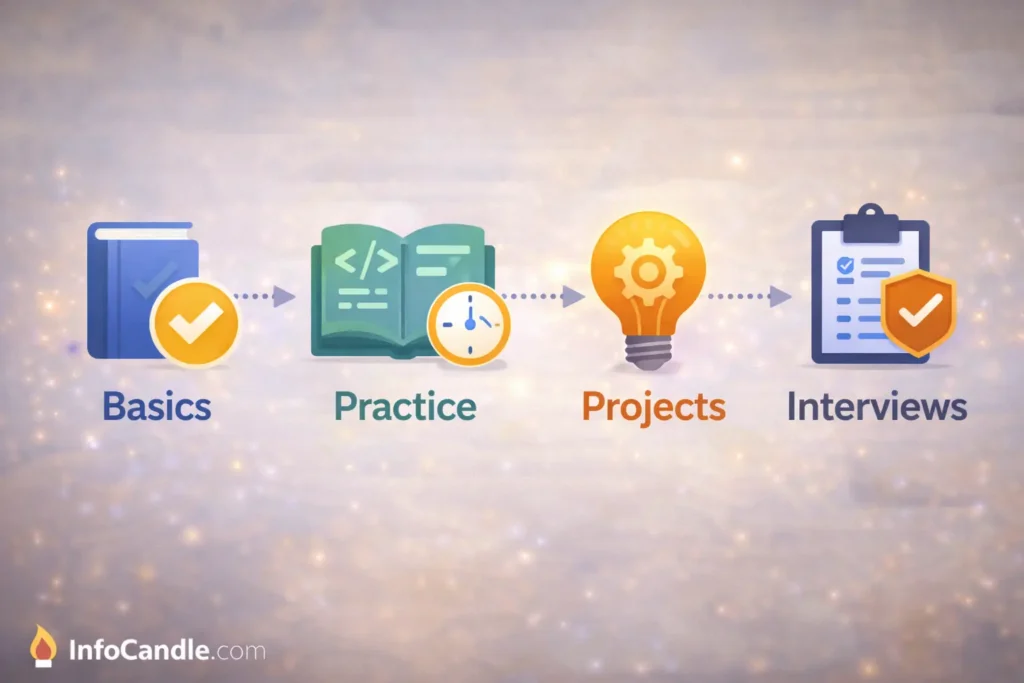
If you want results, don’t jump between 10 tools. Use a simple routine.
1) Pick one language (Python or JavaScript)
If you’re totally new, start with Python.
If you want web development, start with JavaScript.
2) Learn the basics properly
Spend time on:
- variables
- loops
- functions
- lists/arrays
- conditions
This is where free AI tools for learning coding and programming help because you can ask for examples that match your level.
3) Practice daily (even 30 minutes)
Use:
- HackerRank
- LeetCode (easy problems first)
4) Use AI for debugging, not for copying
When you’re stuck, ask:
- “Why is this error happening?”
- “Explain my code line by line.”
- “Fix this but keep it beginner-friendly.”
5) Build mini projects
Projects teach faster than tutorials.
Examples:
- calculator
- to-do list
- quiz app
- expense tracker
- weather app (API)
6) Prepare for interviews slowly
Once you have basics:
- solve easy LeetCode
- practice HackerRank tests
- learn common patterns
Common Mistakes Beginners Make With AI Coding Tools
AI can help you learn faster, but it can also make you lazy if you use it wrong.
Copying code without understanding
This is the biggest mistake. You feel like you’re progressing, but you’re not.
Asking vague prompts
“Make a website” is too vague.
“Make a landing page with navbar + hero + button” works better.
Not learning basics
If you don’t understand loops, AI won’t save you in the long run.
Skipping practice
AI can explain, but you still need to type code yourself.
Ignoring errors
Beginners often avoid errors instead of learning them. Errors are part of learning.
When I tested these tools, I noticed something important: the best learning happens when you paste your broken code and ask the AI to explain why it broke, not just fix it.
FAQs
Are free AI tools for learning coding and programming safe?
Yes, most well-known tools are safe. Just avoid pasting private keys, passwords, or personal project secrets into any AI tool.
Can AI replace learning programming basics?
No. AI can speed up learning, but you still need fundamentals like variables, loops, and logic. Without that, you’ll get stuck later.
Which tool is best for Python beginners?
For most beginners, Replit AI is the easiest because you can run Python in the browser without installing anything.
Can these tools help with debugging?
Yes. Phind and Replit AI are especially useful for explaining errors and suggesting fixes.
Are these tools allowed in university assignments?
Depends on your university policy. Using AI for debugging and learning is usually fine, but submitting AI-generated code as your own work may not be allowed.
Conclusion
If you’re serious about learning faster in 2026, free AI tools for learning coding and programming can save you a lot of time and frustration. The best part is that you don’t need to be a computer science student to use them.
Best overall for beginners: Replit AI
Best for debugging and explanations: Phind
Best for practice and interviews: HackerRank + LeetCode
Best free coding assistant inside editor: Codeium
If you’re a student, you can also check our guide on free AI tools for students without credit card. And if you’re building a freelancing career, read free AI tools for freelancers to find work without credit card.
The goal isn’t to use AI to skip learning. The goal is to use AI to stop wasting time on confusion.