
You can attend a full lecture, write two pages of notes, and still feel like nothing actually “stuck.” Later, when you sit down to revise, your notebook looks like a mix of half sentences, arrows, and random headings you don’t even remember writing.
That’s why free AI tools for note-taking and summarizing without credit card are becoming a real study advantage for students in 2026. These tools can turn messy notes into clean summaries, extract key points from PDFs, create revision questions, and help you study faster — without asking for payment details upfront.
When I tested these tools, one thing became obvious: the best results happen when your input is clear. If you paste random, incomplete notes, the output is average. But if you provide clean headings, topic names, and a little context, the summaries become genuinely useful.
Why Students Need Free AI Tools for Note-Taking and Summarizing Without Credit Card
Most students don’t struggle because they’re lazy. They struggle because the workload is too heavy.
You’re expected to:
- attend classes
- make notes
- understand topics
- revise regularly
- prepare for tests
- finish assignments
- create presentations
And most “free” apps are not truly free. They let you start, then block features behind a subscription or a credit card trial.
That’s why students prefer tools that:
- allow access without payment details
- work on normal laptops/phones
- summarize quickly
- help with revision and recall
- don’t lock everything behind “Pro”
And honestly, for many students, the free versions are enough if used smartly.
Best Free AI Tools for Note-Taking and Summarizing Without Credit Card (2026)
Here are 8 practical tools students are using in 2026. All of them offer meaningful use without entering credit card information.
1) NotebookLM
What it is:
NotebookLM is Google’s AI tool that works with your own uploaded material like PDFs, slides, notes, and documents.
How students use it for notes:
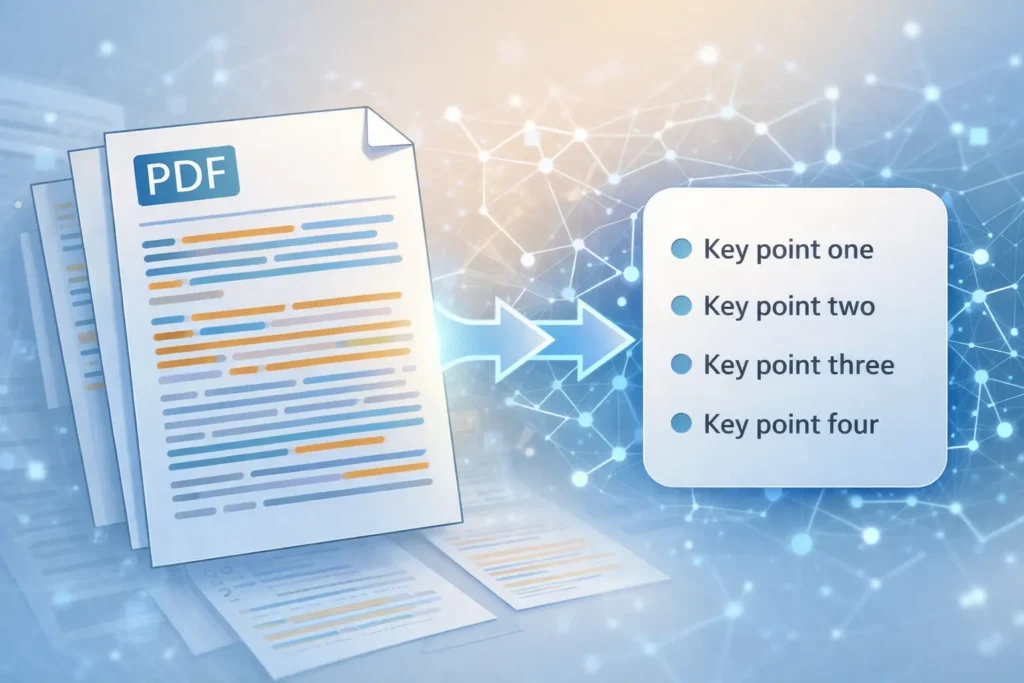
Upload lecture PDFs or textbook chapters, then ask for summaries, timelines, FAQs, and key definitions.
Realistic student example:
A history student uploads 3 lecture PDFs before finals. NotebookLM creates a clean timeline, a short summary for each lecture, and 20 likely exam questions.
Key free features:
- Upload PDFs and documents
- Summaries based only on your sources
- Generates FAQs, timelines, and glossaries
- Audio-style overview feature
- Strong accuracy because it stays inside your material
Free limitations (honest):
- Doesn’t browse the web
- Only works with content you upload
Best use case:
AI tools for summarizing PDFs and turning course content into revision notes.
Official link: NotebookLM
2) ChatGPT
What it is:
ChatGPT is a general-purpose AI chatbot that can summarize, rewrite, explain, and generate practice questions.
How students use it for notes:
Students paste rough lecture notes and ask for:
- bullet summaries
- clean headings
- flashcards
- practice questions
Realistic student example:
A business student pastes notes on “SWOT analysis.” ChatGPT rewrites them into a clean summary and generates 10 MCQs for quick revision.
Key free features:
- Summarizes text quickly
- Explains topics in simple language
- Generates practice questions
- Rewrites messy notes into clean format
- Works for almost any subject
Free limitations:
- Not ideal for very long PDFs unless pasted in sections
- Can make small mistakes if the input is unclear
Best use case:
AI tools for lecture notes + concept explanations.
Official link: ChatGPT
3) Google Gemini
What it is:
Gemini is Google’s AI assistant. It’s especially useful for handling screenshots, images, and PDF content.
How students use it for notes:
Students upload textbook screenshots, handwritten notes, or PDFs and ask for summaries and simplified explanations.
Realistic student example:
A Class 12 student uploads an organic chemistry mechanism screenshot. Gemini explains it step-by-step and generates 5 practice questions.
Key free features:
- Handles images and PDFs
- Summaries + simplified explanations
- Study plan suggestions
- Strong for science diagrams and charts
Free limitations:
- Advanced features may have monthly limits
- Sometimes summaries are too long unless you specify word limit
Best use case:
AI tools for notes and revision when your material includes diagrams.
Official link: Google Gemini
4) Perplexity AI
What it is:
Perplexity is an AI search tool that answers questions and shows sources.
How students use it for notes:
Students use it to confirm facts and quickly understand confusing concepts before adding them into their notes.
Realistic student example:
A psychology student revising for midterms asks Perplexity the difference between classical vs operant conditioning. It gives a clean comparison with citations.
Key free features:
- Cited answers with sources
- Very fast and clear responses
- Great for fact-checking
- Follow-up questions stay in context
Free limitations:
- Not built for PDF uploads like NotebookLM
- More useful for learning than rewriting notes
Best use case:
Quick clarification + accurate summaries.
Official link: Perplexity AI
5) QuillBot Summarizer
What it is:
QuillBot is a writing tool that includes a summarizer, paraphraser, and grammar features.
How students use it for notes:
Paste long paragraphs and convert them into short, readable summaries.
Realistic student example:
A literature student pastes a 900-word explanation of a poem. QuillBot summarizer turns it into 6 bullet points for revision.
Key free features:
- Text summarizer
- Paragraph-to-bullets conversion
- Basic paraphrasing
- Quick and simple interface
Free limitations:
- Word limits in the free version
- Not ideal for long PDFs without splitting text
Best use case:
AI summarizer for students free for quick short summaries.
Official link: QuillBot Summarizer
6) Notion AI (Free tier)
What it is:
Notion is a note-taking app. Notion AI helps summarize, rewrite, and organize notes.
How students use it for notes:
Students keep all class notes inside Notion and use AI to:
- summarize long pages
- create action lists
- convert notes into flashcards
Realistic student example:
A student writes a full lecture in Notion, then asks Notion AI to create a 10-point summary and “exam questions” section.
Key free features:
- Clean note organization
- AI summarization inside notes
- Converts notes into structured sections
- Works well for ongoing semester notes
Free limitations:
- AI credits are limited in free plan
- Heavy usage requires upgrade
Best use case:
Daily note-taking + quick revision summaries.
Official link: Notion AI
7) Grammarly (Free tier)
What it is:
Grammarly is a writing assistant. It’s not a pure summarizer, but it helps make notes clean and readable.
How students use it for notes:
Students use Grammarly to:
- fix grammar
- improve clarity
- rewrite awkward sentences
- make summaries readable
Realistic student example:
A non-native English student writes rough notes for an assignment. Grammarly helps rewrite them in clean, formal English.
Key free features:
- Grammar + spelling fixes
- Clarity improvements
- Tone suggestions
- Works in Google Docs and browser
Free limitations:
- Advanced rewriting is limited
- AI prompts are capped monthly
Best use case:
Cleaning and polishing notes after summarizing.
Official link: Grammarly
8) Otter.ai (Free plan)
What it is:
Otter.ai is an audio transcription tool. It turns lectures into text notes.
How students use it for notes:
Record a lecture (where allowed) → Otter transcribes it → you summarize the transcript using AI.
Realistic student example:
A student records a 40-minute lecture. Otter generates a transcript and highlights key moments. The student then converts it into bullet notes.
Key free features:
- Lecture transcription
- Speaker recognition (basic)
- Highlighting and summaries
- Useful for revision later
Free limitations:
- Monthly transcription minutes are limited
- Free plan may restrict advanced exports
Best use case:
AI tools for lecture notes from recorded audio.
Official link: Otter.ai
Comparison Table: Free AI Tools for Note-Taking and Summarizing Without Credit Card
| Tool | Best For | Handles PDFs | Handles Audio/Lectures | Summary Quality | Free Limit Notes |
|---|---|---|---|---|---|
| NotebookLM | Summarizing your own study material | Yes | Limited | Very high | Needs uploaded sources |
| ChatGPT | Explaining + rewriting notes | Limited | No | High | Needs manual paste |
| Google Gemini | Images + PDFs + explanations | Yes | No | High | Quota on advanced features |
| Perplexity | Fact-checking + quick learning | No | No | Very high | Best for research-style queries |
| QuillBot | Quick paragraph summaries | No | No | Medium-High | Word limits |
| Notion AI | Organizing semester notes | Yes | No | High | Limited AI credits |
| Grammarly | Making notes clean & readable | No | No | Medium | Advanced rewrites limited |
| Otter.ai | Lecture transcription | No | Yes | Medium | Monthly minutes limited |
How to Take Better Notes Using AI (Without Cheating)
AI works best when you use it like a study assistant, not like a shortcut.
A simple method that works for most students:
1) Capture
Take notes normally in class. Don’t aim for perfection.
2) Clean
Remove useless lines, fix headings, and separate topics.
3) Summarize
Use NotebookLM, ChatGPT, Gemini, or QuillBot to summarize each topic.
4) Convert to Q/A
Ask the tool to generate:
- 10 short questions
- 5 MCQs
- 5 “explain in 2 lines” questions
5) Review
Put your questions into Anki or Quizlet for spaced repetition.
This step matters more than people think. Reading summaries is passive. Testing yourself is active.
Common Mistakes Students Make With AI Note Tools
- Uploading messy notes and expecting perfect summaries
- Asking vague prompts like “summarize this” without a word limit
- Copying AI summaries without checking accuracy
- Never converting notes into questions (so nothing sticks)
- Using AI only for summarizing and skipping real revision
One thing I noticed while testing these tools is that they work best when you already know what the topic is supposed to cover. If you give them vague input, the output is vague too.
FAQs
Are free AI tools for note-taking and summarizing without credit card safe?
Most popular tools like Google NotebookLM, ChatGPT, and Gemini are generally safe for student use. Still, you should avoid uploading personal documents, IDs, passwords, or private information.
Which tool is best for summarizing PDFs?
NotebookLM is usually the best because it works directly with PDFs and stays inside your uploaded sources.
Which tool is best for rewriting messy notes?
ChatGPT is the most flexible for rewriting and restructuring notes into clean bullet points.
Can these tools help with exam revision?
Yes. They are especially useful when you convert summaries into self-testing questions and flashcards.
Do I need all these tools?
No. Most students only need 2:
- One for summarizing (NotebookLM or Gemini)
- One for rewriting + practice questions (ChatGPT)
Conclusion
If you’re trying to manage lectures, PDFs, and revision without paying for subscriptions, free AI tools for note-taking and summarizing without credit card can genuinely save time in 2026.
If I had to recommend just one tool for most students, it would be NotebookLM for summaries and PDFs, plus ChatGPT for rewriting notes and generating practice questions. That combination covers almost everything a student needs.
For more student-focused tools, you can also read:
- Free AI tools for students without credit card
- Free AI tools for assignments without credit card
- Free AI tools for PPT creation without credit card
- Free AI tools for studying and exam preparation without credit card
You don’t need 10 apps. You just need a simple system that helps you revise faster and remember more.