Exams always arrive faster than expected. One day you’re keeping up with lectures, and suddenly you’re three chapters behind with a test in five days. Revision feels overwhelming, notes are messy, and you keep forgetting things you thought you understood. Most students don’t have extra money lying around for premium study apps, and many of those apps ask for a credit card even when they advertise a “free trial”.
That’s why free AI tools for studying and exam preparation without credit card have become genuinely useful for a lot of students in 2026. These tools can explain concepts in simpler language, turn your messy notes into summaries, create practice questions, or help you test yourself — all without requiring payment information upfront. They’re not magic shortcuts, but when used properly they can make revision feel a little less chaotic. For students who cannot afford paid subscriptions, free AI tools for studying and exam preparation without credit card offer a practical way to revise smarter without financial pressure.
Why Students Need Free AI Tools for Studying and Exam Preparation Without Credit Card
Most paid study platforms follow a familiar pattern: attractive free version → useful features locked → credit card wall. For younger students, international students, or anyone who avoids linking cards to trial accounts, this creates a real barrier. At the same time, the volume of content keeps growing. Textbooks are longer, syllabi are broader, and teachers expect deeper understanding in less time. Free AI tools help students cut through the noise, quickly clarifying difficult topics, organising scattered notes, creating flashcards, or generating realistic practice questions.
The most important reason, though, is access. When the same study resources are available to everyone regardless of whether they can pay $9.99/month, the playing field becomes a bit more even. And honestly — most students don’t need every premium bell and whistle. They just need tools that help them understand and remember better than staring at the same page for hours. For many learners, free AI tools for studying and exam preparation without credit card are simply the easiest way to get academic support without worrying about subscriptions.
Best Free AI Tools for Studying and Exam Preparation Without Credit Card
Here are six practical tools that many students are actually using in 2026. All of them allow meaningful use without asking for a credit card.
ChatGPT
ChatGPT is a conversationnal AI that can explain almost any topic, answer follow-up questions, and help you think through problems.
How students use it for studying: Ask it to explain concepts in simpler words, create summaries, generate practice questions, or walk you through problem-solving step by step.
Realistic student use-case: A second-year engineering student doesn’t understand why a particular circuit behaves the way it does. He asks ChatGPT to explain the concept like he’s teaching a younger cousin — suddenly the role of feedback resistors makes sense.
Key free features:
- Natural back-and-forth conversation
- Can explain almost any school/college subject
- Creates practice questions with answers
- Helps turn bullet points into structured explanations
- Works in multiple languages
Free limitations: Daily message limits during peak hours (still generous for most students). The most advanced model features are paywalled, but the free version is still very capable.
Best study use-case: Understanding difficult concepts, creating explanations in your own words, generating practice problems.
Google Gemini
Google’s Gemini is particularly strong when you need accurate, up-to-date explanations combined with Google ecosystem integration.
How students use it for studying: Upload notes or textbook screenshots, ask for summaries, request study plans, or get step-by-step solutions.
Realistic student use-case: A class 12 student preparing for board exams uploads a photo of a complicated organic chemistry reaction mechanism. Gemini explains each step and suggests two similar questions she should practice.
Key free features:
- Can process images and PDFs you upload
- Gives sources when pulling current information
- Creates personalised revision schedules
- Works inside Google Docs for direct note improvement
Free limitations: Monthly quota on advanced features (most students never hit it for normal studying). Basic model is already very good.
Best study use-case: Subjects that involve diagrams, recent developments, or when you want to combine your own notes with web information.
NotebookLM
NotebookLM is Google’s tool that turns your own materials into study aids — it only uses the sources you give it.
How students use it for studying: Upload lecture notes, textbook chapters, slides, or YouTube lecture links → it creates summaries, timelines, FAQs, and even audio overviews.
Realistic student use-case: A history student preparing for finals uploads three lecture PDFs and her own handwritten notes. NotebookLM generates a clean timeline, 25 possible short-answer questions, and a 10-minute audio summary she listens to while commuting.
Key free features:
- Extremely accurate because it stays within your sources
- Audio “podcast” summaries
- Automatic FAQ and glossary generation
- Timeline and briefing documents
Free limitations: No significant limits for typical student use. Only works with content you upload (which is actually a strength for accuracy).
Best study use-case: Organizing and reviewing large amounts of your own course material, creating active recall questions.
Perplexity AI
Perplexity works like a research-focused search engine that always shows where the information came from.
How students use it for studying: Ask specific questions about topics and get concise, cited answers — excellent for verifying facts or finding explanations.
Realistic student use-case: A psychology student revising for midterms isn’t sure about the difference between classical and operant conditioning. Perplexity gives a clear comparison table with references to original studies.
Key free features:
- Every answer includes sources
- Clean, academic tone
- Handles follow-up questions well
- Fast and focused on facts
Free limitations: Very generous free tier. — most students can ask 50–100 questions per day without problems.
Best study use-case: Fact-checking, quick clarification of concepts, building understanding before making notes.
Quizlet (Free tier)
Quizlet is a flashcard platform with a strong free tier and some AI-assisted features.
How students use it for studying: Create digital flashcards, use Learn mode (which adapts to what you remember), test yourself, and play matching games.
Realistic student use-case: A medical student memorising drug names and mechanisms creates a set, then uses Quizlet’s Learn mode every evening. The app prioritises cards she keeps forgetting.
Key free features:
- Unlimited flashcard creation
- Learn mode with spaced repetition
- Test mode with different question types
- Matching and gravity games
Free limitations: No offline access for some features, ads in the free version, AI magic notes and diagram sets are paywalled.
Best study use-case: Memorisation-heavy subjects (languages, medicine, biology, law definitions, formulas).
Anki
Anki is a powerful, completely free flashcard program that uses spaced repetition — one of the most evidence-based memory techniques.
How students use it for studying: Create cards with questions on the front and answers on the back → Anki schedules reviews when you’re most likely to forget.
Realistic student use-case: A high school student studying for JEE uploads a large deck of physics formulas and concepts. Anki shows her the cards she struggles with more frequently, helping her improve weak areas.
Key free features:
- Full spaced-repetition scheduling
- Supports images, audio, LaTeX (math)
- Completely customisable cards
- Desktop + mobile sync (mobile app free on Android)
Free limitations: iOS app requires one-time purchase (~$25). Desktop and Android versions are 100% free forever.
Best study use-case: Long-term retention of factual knowledge and procedures (formulas, vocabulary, anatomy, dates, laws). Anki is a powerful spaced repetition flashcard app that helps students retain information for longer. You can download it for free on desktop or Android from the official site: https://apps.ankiweb.net/. The iOS version has a one-time purchase fee, but the rest is completely free and does not require a credit card.
Comparison of Free AI Tools for Studying and Exam Preparation Without Credit Card
| Tool | Best For | Spaced Repetition | Handles Images/PDFs | Creates Questions | Accuracy Control | Free Tier Strength |
|---|---|---|---|---|---|---|
| ChatGPT | Explanations & practice problems | No | Limited | Yes | Medium | Very strong |
| Google Gemini | Diagrams & current info | No | Yes | Yes | High | Strong |
| NotebookLM | Your own course materials | No | Yes | Yes | Very high | Excellent |
| Perplexity | Fact-checking & clear answers | No | No | Limited | Very high | Very strong |
| Quizlet | Quick memorisation | Yes (basic) | Yes | Limited | User-controlled | Good |
| Anki | Long-term retention | Yes (advanced) | Yes | User-created | User-controlled | Excellent (except iOS) |
How to Use AI Tools Effectively for Studying (Without Cheating)
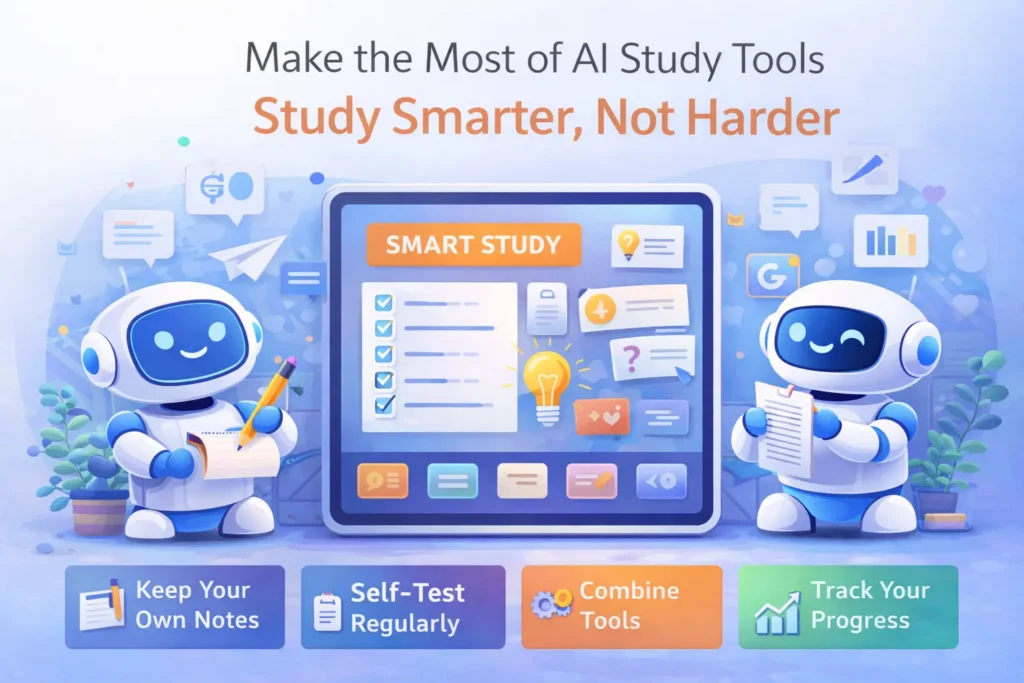
- Use AI to understand, not to copy. Ask it to explain until you can explain it back without help.
- Always write or say the main points in your own words after the AI explains something.
- Create your own flashcards — even if AI suggests questions, rephrase them yourself.
- Use self-testing features regularly. Active recall beats passive re-reading every time.
- Combine tools: use NotebookLM or Gemini to understand and summarise, then put key points into Anki or Quizlet for long-term memory.
- Keep track of what you actually learned versus what you think you learned after watching an AI explanation.
When used correctly, free AI tools for studying and exam preparation without credit card can support active learning without replacing genuine understanding.
Common Mistakes Students Make When Using AI for Exam Prep
- Reading AI explanations once and thinking they “know” the topic (they usually don’t).
- Copying large chunks of AI text into notes without processing it.
- Using AI to generate entire practice tests and then memorising the answers instead of solving problems.
- Relying only on chat-style tools and never doing spaced repetition for facts that need to stick.
- Asking very vague questions (“tell me everything about World War II”) and then feeling overwhelmed by the long answer.
- Honestly, AI won’t help much if you never review the material yourself — it’s a helper, not a brain replacement.
FAQs About Free AI Tools for Studying and Exam Preparation Without Credit Card
Do these tools work without an internet connection?
Most need internet (ChatGPT, Gemini, Perplexity, NotebookLM). Anki and Quizlet let you study offline after you’ve downloaded the content.
Will using these tools get me in trouble at school/college?
Using them to understand and create your own study materials is almost always fine. Copying AI-generated answers directly into exams or assignments is what causes problems.
Which one should I start with if I’m really bad at a subject?
Start with either ChatGPT or Google Gemini. They’re the easiest for getting clear explanations when you’re completely stuck.
Can I use these for board exams or competitive entrance tests?
Yes — many students do. Just make sure you’re actively solving past papers yourself and using AI to fill knowledge gaps, not to find shortcuts.
Are free AI tools for studying and exam preparation without credit card really enough?
Yes, for most students they are. Free AI tools for studying and exam preparation without credit card provide explanations, summaries, practice questions, and revision support that is sufficient for everyday exams when combined with proper self-study.
Conclusion
In 2026, students have access to several genuinely helpful free AI tools for studying and exam preparation without credit card — ChatGPT and Gemini for explanations, NotebookLM for turning your own notes into study aids, Perplexity for accurate quick answers, and Quizlet + Anki for proper long-term memorisation.
My honest advice: don’t try to use all six at once. Pick one or two that match your biggest current problem. For most students I talk to, starting with NotebookLM (if they have lots of course PDFs/notes) or ChatGPT (if they need concepts explained simply) gives the quickest wins. That’s exactly why free AI tools for studying and exam preparation without credit card are becoming part of everyday revision routines for students in 2026.
For more ideas on other parts of student life, you might also want to read our guides on free AI tools for students without credit card and free AI tools for assignments without credit card. You can also explore our guide on free AI tools for PPT creation without credit card if presentations are part of your exams.
You don’t need every tool — you just need a few that actually help you learn. Good luck with your exams. One step at a time is still moving forward.