
I remember when AI software meant a clunky chatbot that couldn’t count to ten without hallucinating. Fast forward to this morning, and I’m reviewing a 10-second video clip generated by Hailu that looks indistinguishable from high-end stock footage. The landscape hasn’t just shifted; it’s mutated. If you’re trying to keep up with the latest AI software, you’re probably drowning in release notes and beta invites. I’ve spent the last six months stress-testing everything from multimodal models to agentic workflows in real production environments, and here’s what’s actually worth your time, money, and sanity.
The Coding Renaissance: Nuance Over Raw Power

Let’s talk text and code, because that’s where the rubber meets the road for most professionals. GPT-4o is the Swiss Army knife everyone knows, but in my daily driver setup, Anthropos’s Claude 3.5 Sonnet has quietly become the gold standard for nuance. I was refactoring a legacy React component last week; GPT-4o gave me a working solution, but Claude caught a subtle edge case in the state management that would have caused a race condition two months down the line. The Artifacts UI is also a game-changer, letting you preview code and documents side-by-side without toggling tabs.
For developers, GitHub Copilot Workspace is moving beyond autocomplete. It’s now suggesting entire pull request descriptions and linking related issues. However, a word of caution from the trenches: Copilot can still invent library functions that don’t exist. I learned this the hard way when it hallucinated a parameter in a pandas update. Always verify. The best AI software for coding right now augments your intuition; it doesn’t replace your code review process.
Creative Tools: Video and Image Generation Get Real
On the creative front, the latest AI video generators are moving at breakneck speed. Sora teased us, but tools like Kling and Hailu (Minimax) are accessible now and producing 1080p clips with frightening coherence. I ran a test prompt for a drone shot over a rainy Tokyo street, and the reflection physics in Kling were spot-on. The motion consistency has finally crossed the threshold where these tools are viable for storyboarding and social content, though lip-syncing still requires post-processing tools like Sync Labs for professional polish.
For static images, Flux.1 has disrupted the hierarchy. Mid journey v6.1 remains the king of artistic flair and texture, but if you need precise text rendering inside an image or photorealism without that glossy AI look, Flux is my go-to. It’s also available in open-weight versions, which matters if you’re running local instances for privacy. I recently helped a boutique agency switch their mood-board workflow to Flux running on a local workstation; they cut licensing costs and kept client concepts entirely in-house.
The Rise of Agentic Workflows
The biggest shift I’m seeing isn’t a model; it’s the move toward AI agents. We’re graduating from chat interfaces to software that takes action. I recently built a workflow using Crew AI where one agent researches competitors, another drafts a comparison matrix, and a third formats it for Notion. It’s not magic it required about 20% human oversight to correct drift but it turned a four hour research task into twenty minutes.
Tools like Zippier Central and Microsoft Copilot Studio are bringing this to non-coders. You can now train a bot on your SOPs and have it handle tier-1 support tickets or invoice reconciliation. A client in logistics implemented a Zippier agent to parse incoming shipment emails and update their ERP. It reduced manual entry errors by 90%, but only after we spent three weeks refining the prompt logic and setting up strict validation rules. Automation amplifies efficiency, but it also amplifies mistakes if your processes are messy.
Real Talk: Limitations, Costs, and Ethics
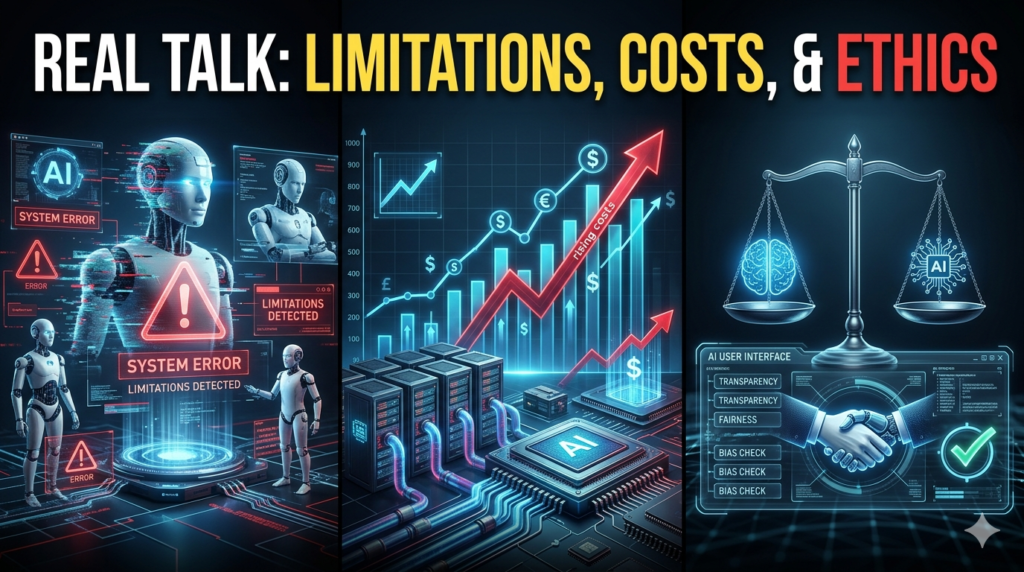
Here’s the reality check. I see too many businesses rushing to integrate the latest AI tools without a strategy. A friend running a marketing firm tried to automate their entire content calendar with an early agent framework. Result? The AI promised a webinar date that didn’t exist and hallucinated a partnership with a competitor. You need guardrails. Always keep a human in the loop for high-stakes outputs.
Also, watch your token costs. Those unlimited plans often have throttle limits that hit right when you’re on a deadline. And privacy? If you’re in healthcare, finance, or legal, stick to enterprise instances with zero-retention policies or run quantized models locally using tools like Llama. Your data is your liability. I never paste client PII into a public model, and neither should you.
The Bottom Line
The latest AI software updates are less about flashy demos and more about integration. The winners in 2024 won’t be the tools with the biggest parameter counts; they’ll be the ones that slot seamlessly into your existing stack and actually save you cognitive load. My advice? Pick two or three tools that solve specific pain points. Master them. Ignore the rest of the noise until it proves value. The tech will keep evolving, but your workflow needs stability.
FAQs
Q: What is the best AI software for coding right now?
A: For pure code reasoning and nuance, Claude 3.5 Sonnet is currently leading. For IDE integration and workflow, GitHub Copilot remains essential. Many developers use both.
Q: Are AI video generators ready for commercial use?
A: Yes, tools like Kling and Hailu produce commercial-grade clips for B-roll and social media. However, always check the specific licensing terms of the platform and verify that generated content doesn’t infringe on trademarks.
Q: How do I choose between local and cloud AI?
A: Choose local AI (like via Llama or Flux dev) if data privacy, offline access, and cost control are priorities. Choose cloud AI for maximum performance, ease of use, and access to the largest models.
Q: Is the latest AI software replacing jobs?
A: In my observation, AI is augmenting roles rather than replacing them outright. It’s automating repetitive tasks, allowing professionals to focus on strategy, creativity, and complex problem-solving. Adaptation is key.
Q: What are the main risks of using AI agents?
A: Hallucinations, unintended actions, and data leakage are the primary risks. Always implement validation steps, restrict agent permissions, and monitor outputs, especially when agents interact with external systems or customer data.
